Presence
Solid 2UnstableSaved for later, moved to the cart
Move a saved piece to your cart and its photo flies into the cart; remove one and it fades. The rest close up behind it.
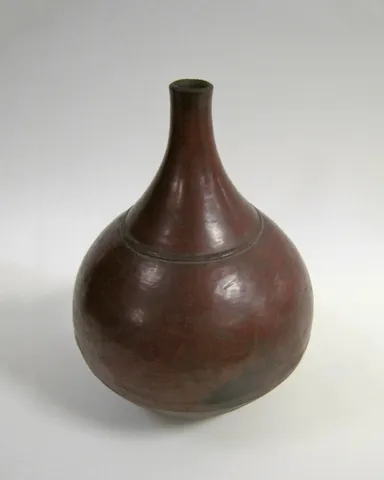 Ember Bottle Vase$96
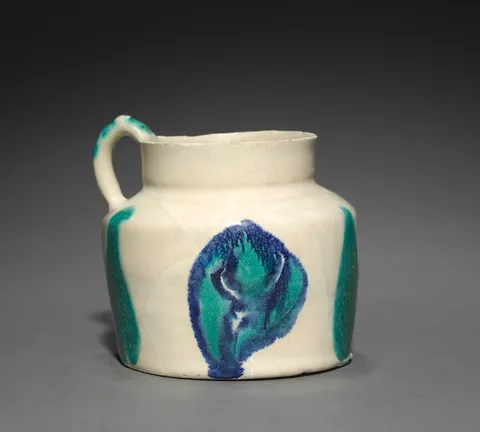 Brushstroke Jug$88
 Faceted Carafe$120
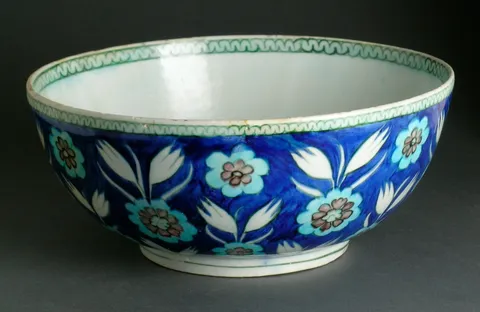 Tulip Bowl$92
Reduced motion: Nothing flies: a row moved to the cart or removed fades, and the rows below move up at once.
Why
Moving something from one list to another is clearer when you see it go. A piece moved to the cart should travel into the cart, and a piece removed should just fade.
The row's photo and a small photo in the header's cart button share a layoutId. On "Move to cart", the row leaves and its twin appears in the button in the same update, so Wardic measures the two and flies the photo from the row into the button, shrinking it as it goes. Once it lands (layoutComplete), the twin shrinks away into the icon with its own exit. Removed, the row only fades. The list is in popLayout mode, so the rows below close the gap while it goes.
The move doesn't wait for the store. On Solid 2 the list is an optimistic store (createOptimisticStore): the action takes the row out at once, before its request, and writes the list for good once the store has the piece. If the store refuses, Solid drops the optimistic write and the row comes back where it was, its photo flying back out of the cart. Quick clicks don't trip over each other, and a row already on its way ignores another. Solid 1 has no optimistic writes, so it does the same by hand: out at once, put back if the request fails. Try the header's settings: a delay, or fail the next request.
The code
Motion's flight is the same layoutId pair, and React 19's useOptimistic is Solid 2's createOptimisticStore: the row leaves inside a transition and comes back if the store refuses it. The header's twin needs the pieces in flight shared with the page: a small store outside React, read with useSyncExternalStore, where Wardic's apps share a signal. React keeps a leaving row rendered until its exit ends, so its photo is still there when the twin mounts, and Motion crossfades the two as the photo flies; Solid 2's optimistic list keeps the row too, and does the same. Solid 1 has disposed of it by then, so Wardic flies the twin from where the photo was, at full opacity.
import { revalidate } from "@solidjs/router"
import { PRODUCTS } from "@wardic/example-storefront-shared/catalog"
import { formatPrice } from "@wardic/example-storefront-shared/format"
import { photoOf, srcsetOf } from "@wardic/example-storefront-shared/images"
import type { Product } from "@wardic/example-storefront-shared/server"
import { AnimatePresence, wardic } from "@wardic/solid/unstable/v2"
import { action, createOptimisticStore, createSignal, flush, For, Show } from "solid-js"
import { arrivalId, arrive, recall } from "~/lib/arrivals.ts"
import { useReducedMotion } from "~/lib/preferences.tsx"
import { cart } from "~/lib/store.ts"
import { addToCart } from "~/server/store.ts"

const SAVED = PRODUCTS.filter((product) => ["bottle-vase", "tulip-bowl", "painted-jug", "cut-carafe"].includes(product.id))

export default function SavedForLater() {
  // The pieces still saved: what the list settles on once a move has landed.
  const [kept, setKept] = createSignal<ReadonlyArray<Product>>(SAVED)
  // What it shows: those, less any on their way to the cart. A move takes its row out at once, an
  // optimistic write; if the store refuses it, Solid drops the write as the action settles, and the
  // row comes back. Quick moves don't trip over each other.
  const [saved, setSaved] = createOptimisticStore<Array<Product>>(() => [...kept()], [])
  const [failure, setFailure] = createSignal<string>()
  // The system's setting, or the header's switch.
  const reduced = useReducedMotion()

  const without = (piece: Product) => (list: ReadonlyArray<Product>) => list.filter((one) => one.id !== piece.id)
  const moveToCart = action(function* (piece: Product) {
    setSaved(without(piece))
    yield addToCart(piece.id, 1)
    setKept(without(piece))
    // The cart has changed: the header's count reads it again.
    revalidate(cart.key)
  })
  // A click: the move takes its row out, then its photo's twin appears in the cart button, and Wardic
  // flies the photo there from the row it left (under reduced motion, nothing flies). The row's leave is
  // flushed first: the twin's write, in a batch of its own, doesn't wait with the action for the store.
  // A piece already on its way, its leaving row clicked again, is left alone.
  const move = (piece: Product) => {
    if (!saved.some((one) => one.id === piece.id)) return
    setFailure(undefined)
    flush(() => {
      moveToCart(piece).catch((error: unknown) => {
        // Refused: its row is back, and its twin leaves the cart button, its photo flying back.
        recall(piece.id)
        setFailure(`${piece.name} wasn't moved: ${messageOf(error)}`)
      })
    })
    if (!reduced()) arrive({ id: piece.id, src: photoOf(piece.id).small })
  }

  return (
    <div class="saved">
      <ul class="saved-list">
        {/* popLayout: a leaving row steps out of the list at once, and the rows below close the gap while it goes. */}
        <AnimatePresence mode="popLayout">
          <For each={saved}>{(piece) => <SavedRow piece={piece} onMove={() => move(piece)} onRemove={() => setKept(without(piece))} />}</For>
        </AnimatePresence>
      </ul>
      <Show when={saved.length === 0}>
        <p class="saved-empty muted">
          Nothing saved for later.{" "}
          <button class="button quiet" onClick={() => setKept(SAVED)}>
            Save them again
          </button>
        </p>
      </Show>
      <Show when={failure()}>
        {(message) => (
          <p class="error-line" role="alert">
            {message()}
          </p>
        )}
      </Show>
    </div>
  )
}

function SavedRow(props: { readonly piece: Product; readonly onMove: () => void; readonly onRemove: () => void }) {
  const photo = photoOf(props.piece.id)
  return (
    // It fades as it leaves, either way. Moved to the cart, its photo's twin there flies from its own.
    <wardic.li class="saved-row" layout exit={{ opacity: 0, transition: { type: "tween", duration: 0.22, ease: "easeOut" } }}>
      <wardic.div class="photo" layoutId={arrivalId(props.piece.id)}>
        <img src={photo.small} srcset={srcsetOf(photo)} sizes="72px" width={photo.width} height={photo.height} alt={props.piece.name} />
      </wardic.div>
      <div class="saved-text">
        <span class="name">{props.piece.name}</span>
        <span class="price">{formatPrice(props.piece.price)}</span>
      </div>
      <div class="saved-actions">
        <wardic.button class="button accent" whileTap={{ scale: 0.96 }} onClick={() => props.onMove()}>
          Move to cart
        </wardic.button>
        <button class="button quiet" onClick={() => props.onRemove()}>
          Remove
        </button>
      </div>
    </wardic.li>
  )
}

function messageOf(error: unknown): string {
  if (error instanceof Error) return error.message
  return String(error)
}
"use client"
import { PRODUCTS } from "@wardic/example-storefront-shared/catalog"
import { formatPrice } from "@wardic/example-storefront-shared/format"
import { photoOf, srcsetOf } from "@wardic/example-storefront-shared/images"
import type { Product } from "@wardic/example-storefront-shared/server"
import { AnimatePresence, motion, useReducedMotionConfig } from "motion/react"
import { startTransition, useOptimistic, useState } from "react"
import { arrivalId, arrive, recall } from "~/lib/arrivals.ts"
import { addToCart } from "~/lib/store.ts"

const SAVED = PRODUCTS.filter((product) => ["bottle-vase", "tulip-bowl", "painted-jug", "cut-carafe"].includes(product.id))

const without = (id: string) => (list: ReadonlyArray<Product>) => list.filter((one) => one.id !== id)

export default function SavedForLater() {
  // The pieces still saved: what the list settles on once a move has landed.
  const [kept, setKept] = useState<ReadonlyArray<Product>>(SAVED)
  // What it shows: those, less any on their way to the cart, until the move's transition ends. If
  // the store refuses it, the transition ends with `kept` unchanged, and the row comes back.
  const [saved, takeOut] = useOptimistic(kept, (list, id: string) => without(id)(list))
  const [failure, setFailure] = useState<string>()
  // The system's setting, or the header's switch (`MotionConfig`).
  const reduced = useReducedMotionConfig()

  // A click: the row leaves, and its photo's twin appears in the cart button, sharing its
  // `layoutId`, so Motion flies the photo there from the row it left (under reduced motion, nothing
  // flies). A piece already on its way, its leaving row clicked again, is left alone.
  const move = (piece: Product) => {
    if (!saved.some((one) => one.id === piece.id)) return
    setFailure(undefined)
    if (!reduced) arrive({ id: piece.id, src: photoOf(piece.id).small })
    startTransition(async () => {
      takeOut(piece.id)
      try {
        // A server action: it refreshes the page, so the header's count reads the cart again.
        await addToCart(piece.id, 1)
        startTransition(() => setKept(without(piece.id)))
      } catch (error) {
        // Refused: its row comes back, and its twin leaves the cart button, its photo flying back.
        recall(piece.id)
        setFailure(`${piece.name} wasn't moved: ${messageOf(error)}`)
      }
    })
  }

  return (
    <div className="saved">
      <ul className="saved-list">
        {/* popLayout: a leaving row steps out of the list at once, and the rows below close the gap while it goes. */}
        <AnimatePresence mode="popLayout">
          {saved.map((piece) => (
            <SavedRow key={piece.id} piece={piece} onMove={() => move(piece)} onRemove={() => setKept(without(piece.id))} />
          ))}
        </AnimatePresence>
      </ul>
      {saved.length === 0 && (
        <p className="saved-empty muted">
          Nothing saved for later.{" "}
          <button className="button quiet" onClick={() => setKept(SAVED)}>
            Save them again
          </button>
        </p>
      )}
      {failure && (
        <p className="error-line" role="alert">
          {failure}
        </p>
      )}
    </div>
  )
}

function SavedRow({ piece, onMove, onRemove }: { readonly piece: Product; readonly onMove: () => void; readonly onRemove: () => void }) {
  const photo = photoOf(piece.id)
  return (
    // It fades as it leaves, either way. Moved to the cart, its photo's twin there flies from its own.
    <motion.li className="saved-row" layout exit={{ opacity: 0, transition: { type: "tween", duration: 0.22, ease: "easeOut" } }}>
      <motion.div className="photo" layoutId={arrivalId(piece.id)}>
        <img src={photo.small} srcSet={srcsetOf(photo)} sizes="72px" width={photo.width} height={photo.height} alt={piece.name} />
      </motion.div>
      <div className="saved-text">
        <span className="name">{piece.name}</span>
        <span className="price">{formatPrice(piece.price)}</span>
      </div>
      <div className="saved-actions">
        <motion.button className="button accent" whileTap={{ scale: 0.96 }} onClick={onMove}>
          Move to cart
        </motion.button>
        <button className="button quiet" onClick={onRemove}>
          Remove
        </button>
      </div>
    </motion.li>
  )
}

function messageOf(error: unknown): string {
  if (error instanceof Error) return error.message
  return String(error)
}